Disclosure: This page may contain affiliate links. We may earn a small commission at no extra cost to you. Learn more.

“Did you know that AI adoption in construction has surged by nearly 40% in the past five years? For civil engineers, this shift isn’t just about technology—it’s about staying relevant. And it all starts with what you showcase in your civil engineering resume.”
In this blog we will walk you through 15 free trial based AI tools for Civil Engineers.
Artificial intelligence is no longer a buzzword—it has become a driving force across industries. Civil engineers, once reliant on manual methods, now use AI tools to design smarter structures, plan projects, and monitor progress. And just like a strong civil engineering resume helps professionals showcase their skills, the right AI tools highlight the potential of the entire industry.
A recent McKinsey report revealed that AI adoption in engineering and construction has grown by nearly 40% in the last five years. Another survey shows that companies using AI-powered platforms in construction reduce project delays by 20–25%. The demand is clear: civil engineering and AI now go hand in hand.
Why Does a Civil Engineering Resume Need AI?
Every engineer builds a resume to present strengths, but in today’s competitive field, technical skills must evolve. Employers no longer just look for design software knowledge—they expect awareness of AI-driven tools. That’s why including relevant AI expertise on a civil engineering resume can make a big difference.
It’s similar to how candidates now check their applications with an ATS score checker to ensure they pass digital filters. Civil engineers must also check their skills against industry trends. If AI is missing from the profile, it could mean lost opportunities.
What Makes AI Important in Civil Engineering Today?
The scope of civil engineering has expanded. It’s no longer limited to drafting, surveying, or construction management. AI is being applied in every stage:
- Design optimization – AI creates multiple solutions in seconds, something humans cannot match.
- Project monitoring – Computer vision and drones track construction progress in real time.
- Sustainability – AI helps design low-carbon concrete mixes and eco-friendly structures.
- Risk prediction – Machine learning detects scheduling issues before they cause costly delays.
In fact, PwC research estimates that AI in construction and infrastructure could contribute $320 billion to the econimy in middle-east by 2030. This surge means civil engineers must embrace AI knowledge and reflect it in their careers.
15 Free AI Tools For Civil Engineers
Design & Drafting
1)Autodesk Civil 3D Student/Educator License (Free for students/educators)
AI-aided design and modeling for roads, highways, and site development.
Provides access to same industry-standard software used in professional practice, skill development and portfolio building
Practice to create accurate and detailed 3D models
Create real world style projects and designs to showcase potential abilities to the prospective employers.
2)Blender + AI Plugins (Free)
Not civil-specific, but with AI add-ons, it can generate realistic models for visualization.
It helps to generate photorealistic visualisations and computer-animated simulations of projects that appears fly-through
Helps in rapid 3D asset creation with custom structural components or detailed building models.
Use AI add-ons to generate realistic PBR (Physically Based Rendering) textures and materials to improve the visual quality of models.
3)SketchUp Free + Extensions
Has AI-powered extensions for quick site layout and structural design checks offering fast, intuitive, and accessible 3D modelling environment.
SketchUp makes it easy for engineers to create 3D models of projects and explore design options for presentations to their clients and stakeholders.
The tool is used in urban planning to create 3D models of projects
Structural Analysis & Simulation
1)SkyCiv Free Trial (Cloud-based)
Simple, browser-based structural analysis with AI design optimization.
The new users find it easy to navigate the intuitive interface as compared to the traditional complex softwares.
The tool doesn’t need to be downloaded, instead the users can work online through a web browsers.
The engineers can easily verify concepts and understand forces and stresses within structures for occasional design work.
Although the free trial has got restrictions with limited functionalities, but the beginners can utilise the available benefits for insights about their work.
2)ETABS Student Version (Free for students)
Industry standard for buildings; AI modules for performance-based design.
The software let students get practical experience with real world engineering problems with advanced structural analysis techniques.
The engineers with ETABS proficiency are valued by recruiters, giving an extra edge to the students.
3)OpenSees (Open Source)
Research-level tool with AI/ML scripts available for advanced civil simulations.
This tool is ideal for modelling and analyzing structural systems under static and dynamic loads, especially in scenarios like earthquakes
Construction Management
1)Planner 5D + AI Assist (Free basic plan available)
AI helps create layouts quickly useful for early-stage planning.
This tool is primarily for interior planning and visualization for complex civil projects.
The tool is very helpful for creating interior designs and floor plans, but lacks the detailed CAD features.
AI assist helps in designing with optimal accuracy, and efficiency which in turn helps to save time and reduce waste
The AI-powered tool helps in predictive analysis for scheduling, resource allocation, and risk management
2)Trello with Butler AI (Free basic version)
Automates construction task assignments and workflow management.
Trello’s AI has the ability to analyze past project and forecast potential risks, bottlenecks, and outcomes which helps with strategic data for future planning.
Butler helps in automating repetitive tasks like moving the cards, assigning tasks, and update status.
Butler helps to set up commands to help generate reports and apdate key metrics.
3)Plan Demo Access
Lets you try AI-powered risk prediction in project schedules.
The tool helps in improved risk management by providing data-derived forecasting in predicting project outcomes.
Helps the professionals with managing risks by accurate forecasts which in turn helps to avoid costly delays and budget overruns.
The engineers can use the tool for demo and take help on how well nPlan’s AI forecasting can be applied to the complexities of their own projects.
Surveying & Monitoring
1)Pix4D Mapper (Free trial)
AI processes drone images into 3D site maps and terrain models.
The drone imagery helps the engineers to create 3D models, orthomosaics, digital terrain models (DTM) and others.
The tool helps in generating quality reports, calibrate projects and assess the accuracy of measurements.
The tool can help the stakeholders with clear visualisations, and detailed site model which helps in better decision making.
2)QGIS + Machine Learning Plugins (Free, Open Source)
AI can analyze flood zones, slope stability, and urban planning.
QGIS can be used to access and query databases such as PostgreSQL, PostGIS, Spatialite, Oracle Spatial and others.
QGIS with its rich ecosystem of plugin and scripting tools extend its functionality.
The tool also helps to create and display 3D and temporal visualisation of data for enhanced understanding and communications.
3)OpenDroneMap (Free)
Open-source AI software for turning drone imagery into maps & models.
Since it is a free, open-souce solution, ODM eliminates significant software licensing costs.
In construction sector, ODM helps in monitoring site progress, measuring earthwork volumes, and ensures compliance.
Sustainability & Smart Material
1)Cove.tool Free Trial
AI for sustainable energy modeling and carbon optimization.
The free trial helps in rapid evaluation of design, alternatives in the initial phases of the project, helping engineers identify options for positive impact.
The tool uses ML and parametric modelling for exploring various design options for materials, insulation and HVAC systems.
2)Concrete.ai (Request demo)
Suggests cost-effective, eco-friendly concrete mixes using AI.
Concrere.ai can help engineers in optimising concrete mix designs and improve quality control.
The tool helps in making informed decisions in constructions and maintenance.
3)One Click LCA (Free academic/student version)
Life Cycle Analysis of construction materials with AI-driven insights.
As the name suggests the tools helps in learning and applying of Life cycle assessment principles of environmental impact of projects, and sustainability of growing demands.
Knowledge about such a proficient tool helps in providing real world skills, which are in demand across the construction industry.
How Can You Present AI Knowledge in a Civil Engineering Resume?
A resume is not just a list of software skills. It should show how you apply those tools to solve problems. For example:
- Instead of writing “Worked on AutoCAD”, write “Designed optimized bridge layouts using AI-enabled AutoCAD features.”
- Instead of “Familiar with project scheduling”, try “Used AI-based scheduling tools to reduce project timelines by 15%.”
Just as an ATS score checker improves the chances of resumes being noticed, including measurable AI achievements makes a civil engineering resume stand out. Employers want to see proof of results, not just tool names.
Is AI Only for Large Projects in Civil Engineering?
Not at all. While mega infrastructure projects use AI at scale, even small firms benefit. For example, local contractors use AI-based survey apps to generate accurate land data. Small design studios rely on AI sustainability tools to meet green building standards.
Adding these skills to a civil engineering resume signals adaptability. It shows recruiters that you can apply advanced methods in practical, cost-effective ways. And with an ATS score checker screening resumes automatically, the presence of AI-related keywords can help you pass filters and reach hiring managers faster.

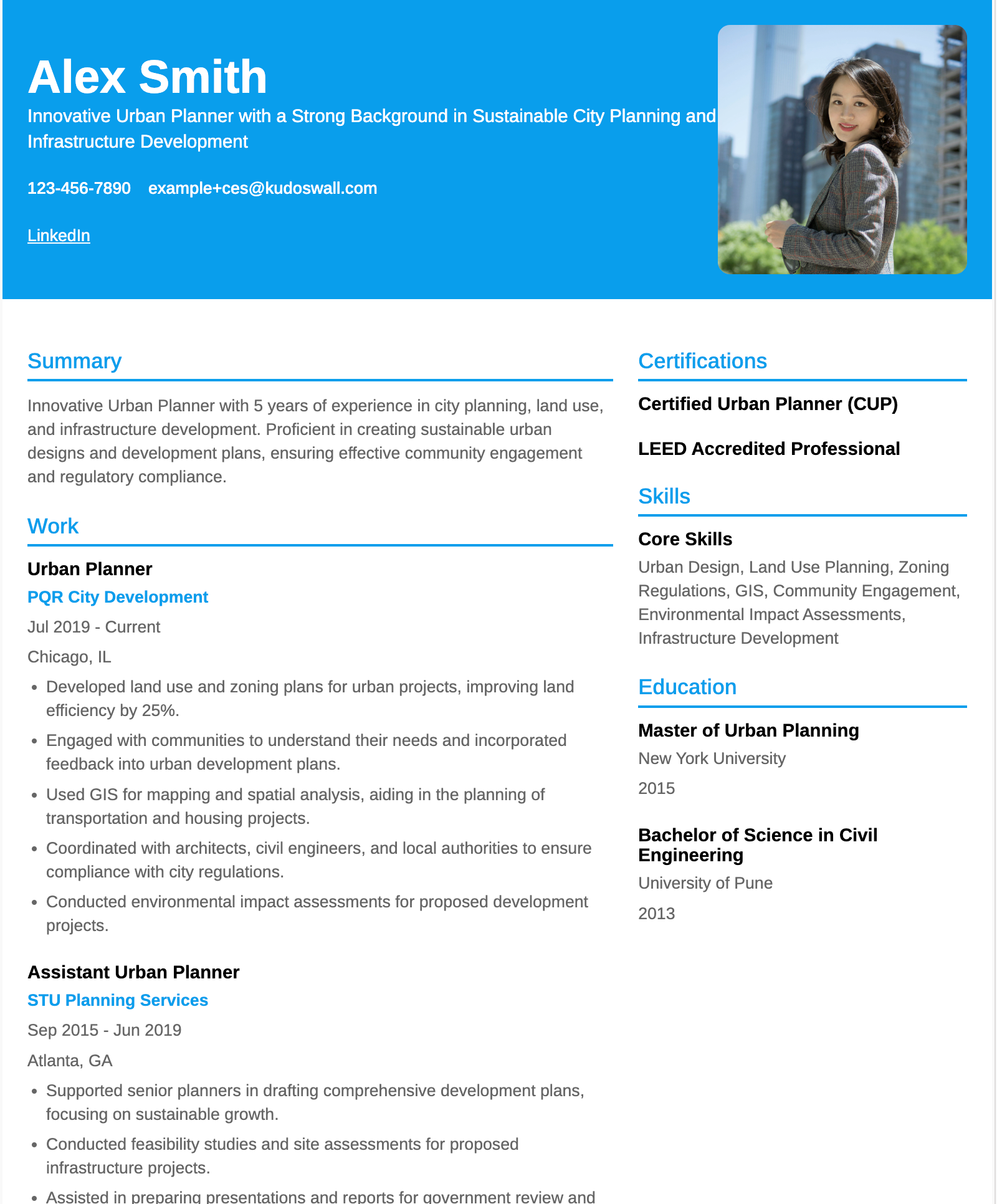
Urban Planning Engineer Resume Example

Civil Engineering – Student Resume Example
There are many other Civil engineering resume examples available, explore them and build yours today.
What Challenges Should Civil Engineers Expect with AI?
Like any innovation, AI adoption comes with hurdles:
- Data quality is critical—poor records can lead to inaccurate predictions.
- Licensing and training costs may be high for smaller firms.
- Engineers must still verify results with human judgment and local codes.
Despite these challenges, AI is not replacing civil engineers. Instead, it acts as a co-pilot—handling repetitive tasks, crunching massive datasets, and suggesting optimized solutions. The engineer’s role is to guide, interpret, and validate these insights.
Future of Civil Engineering with AI
The next decade will bring even deeper integration. Smart cities will rely on AI for traffic management, water systems, and disaster resilience. Autonomous construction equipment is already being tested. AI-driven digital twins will become standard, allowing real-time simulation of entire infrastructure networks.
For civil engineers, the message is clear: update your civil engineering resume to highlight AI familiarity. Employers seek professionals who can bridge traditional engineering knowledge with emerging technologies. Just as using an ATS score checker boosts your chances of landing an interview, showcasing AI expertise boosts your chances of leading tomorrow’s projects.
FAQ
Should I list AI tools on my civil engineering resume?
Yes. Recruiters now expect civil engineers to have exposure to AI-driven tools. Listing AI software shows that you are updated with industry trends and increases your chances of passing ATS filters.
How can I mention AI experience if I only used free trials or student versions?
You can highlight projects or coursework where you applied the tools. Example: “Created 3D bridge model using Autodesk Civil 3D (student license) to optimize design.”
Does adding AI tools improve my ATS score?
Yes. Using an ATS score checker helps ensure AI-related keywords appear naturally in your resume. This makes your civil engineering resume more likely to be shortlisted.
What’s the best way to show AI knowledge if I’m a fresher?
Focus on internships, academic projects, or certifications. Even a small project using tools like SketchUp or Pix4D can be framed as practical AI experience on your resume.
Is AI knowledge required only for large construction firms?
No. Even small firms value AI skills for cost savings, sustainability, and faster project delivery. Mentioning AI tools in your civil engineering resume shows adaptability across company sizes.
Leave a Reply